


Westinghouse TV Remote
1.9155.00 Reviews
App Specs
- Version
- 1.0.7mts
- Updated On
- License
- Free
- Downloads
- 100,000+
- Developer
- Mobile Tools Shop
- Categories
- House & Home
- Platform
- Android
Screenshots
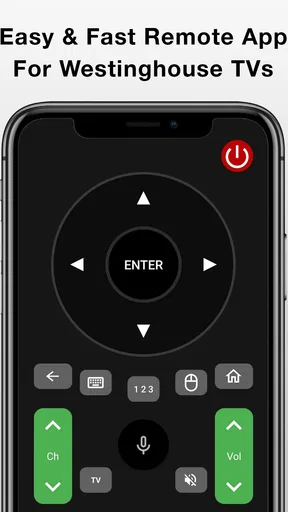
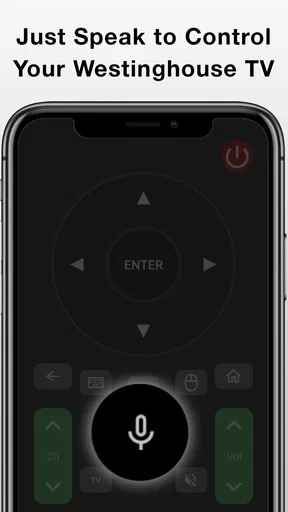
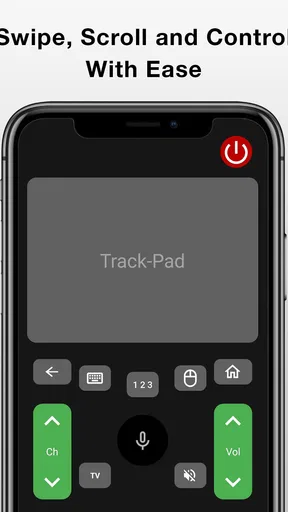
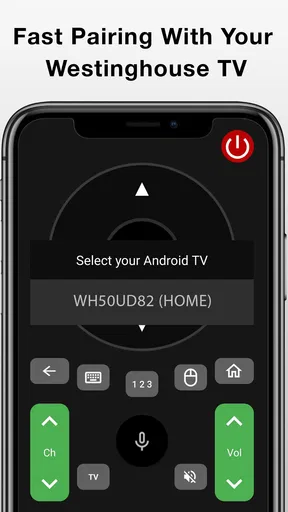
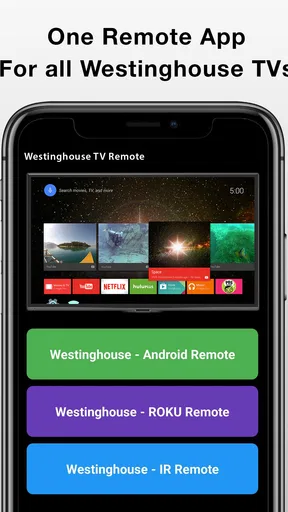
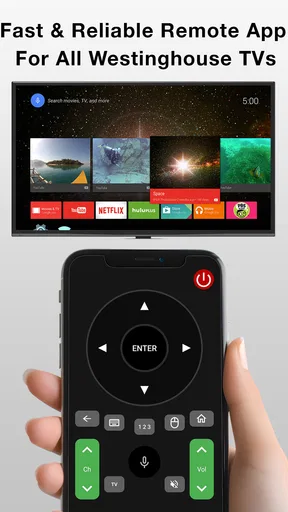
 Analysis by AppCompare
I’d judge Westinghouse TV Remote by one practical question: does it make controlling your particular Westinghouse television easier than reaching for the remote you already own? A phone can be a handy backup when the remote has wandered off, but an app is only useful if it connects reliably and offers the controls you actually need. I’d treat it as a convenience to test, not an automatic replacement for a physical remote.
Check the fit before changing your routine
Before relying on any phone-based TV control, I’d check that the television is compatible and consider how it connects. The app’s description focuses on Westinghouse TVs, so it makes sense for a household with that brand; it is not a general remote for every television in the room. Network-based control also depends on the phone and TV being able to communicate, which makes the home network part of the experience rather than a background detail.
That distinction matters if you have separate Wi-Fi networks, a guest network, or a television that is not connected to the same home network as your phone. If the app does not find the TV, I would first check that both devices are on the same network and that the TV is online, then retry the connection. I would not assume that repeated tapping will solve a network mismatch.
It is also worth considering who will use the controls. For one person who already keeps a phone nearby, an app can reduce the small annoyance of hunting for a remote. For a shared living room, a physical remote is often simpler for guests or family members who do not want to install an app or learn a phone interface. I see the strongest case for keeping both options available rather than making the phone the only way to control the television.
Where a phone remote can earn its place
The useful scenario is not just losing the remote under a cushion. Imagine sitting down to watch something and discovering that the remote is in another room, or wanting to lower the volume without getting up while someone else is settling in. If the app is already connected, using the phone you have in hand can be more convenient than interrupting the moment to search.
It can also be a sensible backup when the physical remote is temporarily unavailable. I would test the key controls before depending on it: power, volume, navigation, and whichever input controls matter in your setup. A remote app that can open menus but cannot handle the action you need is not much of a substitute. Checking these basics while you still have the physical remote nearby gives you a chance to troubleshoot without turning a quiet evening into a setup exercise.
There is a small but important trade-off: the phone is also where messages, calls, and other distractions arrive. A physical remote is single-purpose and can be passed to another person without handing over a phone. If you watch with other people, that difference may matter more than the convenience of keeping another remote in your pocket.
Worth Reading Before You Choose

EA SPORTS FC Mobile 26 Is a Bigger Football Game, but It Takes Time

Flipboard Shows What News Apps Must Do Beyond the Feed

Switching to Android Auto Means Rethinking Your Driving Routine

Google Calendar Makes a Crowded Week Easier to Manage

Ludo King Makes the Most of the Minutes Between Plans

Baby Panda World Brings Quick Play to Modern Phones, but Its Game Library Feels Busy
A Handy Companion for Your Westinghouse TV
First things first, setting up the Westinghouse TV Remote is a breeze. Once you download it from the App Store or Google Play (depending on your device), you're guided through a straightforward setup process. Just ensure your phone and TV are on the same Wi-Fi network, and you're golden. The app automatically detects your TV model, which is pretty nifty. No more fiddling with codes or trying to pair devices manually.
Features That Stand Out
Let’s dive into what makes this app tick. The Westinghouse TV Remote offers all the essential functions: volume control, channel switching, and input selection, just like your physical remote. But it doesn’t stop there. The app also includes a touchpad for navigation, which I found incredibly intuitive. It's like swiping through your phone but on a larger screen.
Another feature that caught my attention is the voice control. You can simply speak into your phone to change channels or search for your favorite shows. This is a game-changer, especially when you can’t quite remember the channel number for that one show you love.
User Interface: Easy on the Eyes
The app’s interface is sleek and user-friendly. With a minimalist design, it avoids unnecessary clutter, making it easy to find what you need when you need it. The buttons are well-sized, ensuring you won’t accidentally press the wrong one.
One thing I appreciate is the customization options. You can rearrange the buttons based on your preferences. If you’re someone who primarily uses the input switch, you can move that to the forefront. It’s these little touches that enhance the overall user experience.
Performance and Reliability
Now, let’s talk about performance. Does the app deliver on its promises? In my experience, yes. The response time is impressive; commands are executed almost instantly. There's no noticeable lag, which is crucial when you’re in the middle of an intense movie scene and need to adjust the volume quickly.
However, this app does rely heavily on a stable Wi-Fi connection. I noticed a slight delay when my network was acting up, but that’s more of an internet issue than an app problem. Just make sure your Wi-Fi is solid, and you’re good to go.
Compatibility and Limitations
The app is designed specifically for Westinghouse TVs, which is fantastic if you own one. However, if you’re thinking of using it for other brands, you might be out of luck. Also, while the app is robust, it does not support some of the older TV models. It’s always a good idea to check compatibility before downloading.
For this reason, I would keep the original remote within reach during the first setup and try the app with the exact television you plan to use. Compatibility is not just a question of brand: a household can have more than one Westinghouse set, and a successful connection with one does not prove that another will behave the same way. Test the television you watch most, then decide whether the app is dependable enough for your own routine.
Choosing between the app and other options
Compared with a standard physical remote, a phone app trades a dedicated set of buttons for a device you probably already carry. That can be a win when the remote is misplaced, but less so when your phone is charging, the battery is low, or another person wants to change the channel. A universal remote may make more sense in a room with several devices and a preference for one physical controller; it also avoids depending on a phone screen and Wi-Fi for everyday commands.
There is a different choice if you mainly control entertainment through a streaming device rather than the television itself. Its own controller may be the more direct option for navigating that device, while a TV remote app is most useful for television-level tasks such as volume or changing inputs. I would not expect one control method to replace every other remote in a mixed setup. Instead, decide which action causes the most friction and use the option that handles that action reliably.
When testing the app, I’d pay attention to the parts of the routine that are easy to overlook. Can you reach the control you use most without searching through menus? Does the television respond after it has been idle? Can another person use the controls without asking you to unlock and hand over your phone? These practical checks tell you more than a quick first connection does, and they help you avoid building a habit around a feature that only works under ideal conditions.
What the ratings and cost suggest
Westinghouse TV Remote is a free House & Home app from Mobile Tools Shop, with optional in-app purchases listed from $1.49 to $19.99 per item. It has an average rating of 1.9 from around 460 ratings, alongside more than 100,000 installs. I would take that low average seriously: it is a reason to approach the app cautiously and verify that it works with your television before treating it as essential. A large install count shows that people have tried it, but it does not guarantee a smooth experience on every setup.
The app is rated for Everyone, and its listed version is 1.0.7mts, with Android 6.0 as the minimum operating system. Those details are useful when deciding whether an older phone can run it, but compatibility with the phone is only one part of the decision; the TV and network still need to work with the app. Since it is free to install, the practical cost is mainly your setup time, while the optional purchases are a reason to review any purchase screen carefully before confirming anything.
When I would keep looking
I would skip this as a primary controller if your Westinghouse television is not detected, if the connection drops often, or if you need a remote that works independently of your home network. The same goes for anyone who wants a shared, always-ready controller that every visitor can use immediately. A physical remote, or a universal remote suited to a multi-device setup, is a better fit in those cases.
If you are helping someone else set up the app, leave time to test it in the room where the TV is used rather than assuming it will behave the same as it did during installation. Show them how to reach the controls they use most, and keep the original remote available until they are comfortable with the phone-based option. That simple handover matters: a controller that makes sense to the person who configured it may not feel obvious to everyone else.
Final Thoughts: Is It Worth It?
So, should you download the Westinghouse TV Remote? If you own a Westinghouse TV and are tired of constantly searching for your physical remote, this app is a must-have. It’s convenient, easy to use, and offers a few advanced features that elevate your viewing experience.
While it might not completely replace your traditional remote (especially for those rare times when your phone is charging away from the couch), it comes pretty close. Plus, who doesn’t love having fewer gadgets to manage? In the age of digital solutions, the Westinghouse TV Remote is a welcome addition to any tech-savvy home.
My recommendation
I’d consider it a useful secondary control, not a guaranteed replacement. The case for trying it is strongest if you own a compatible Westinghouse TV, usually have your phone nearby, and are comfortable checking the connection before you settle in. The case is weaker if you need a dependable shared remote, control several brands, or want television access when your phone or network is unavailable.
My practical advice is to install it while the regular remote is still within reach, check the controls you use most, and try it again during an ordinary viewing session. If it proves reliable in that real routine, keep it as a convenient backup or make it your preferred controller. If it does not, you have learned that early and can stick with a physical remote without having to reorganize how the household watches TV.
Pros
- User-friendly interface for easy navigation.
- Quick connection to Westinghouse TVs.
- Customizable remote buttons for convenience.
- Supports voice commands for hands-free control.
- Lightweight app with minimal battery usage.
Cons
- Limited compatibility with older TV models.
- Requires stable Wi-Fi for optimal performance.
- No option for personalized themes.
- Ads can be intrusive during use.
- Lacks advanced features like screen mirroring.
FAQs for Westinghouse TV Remote
What features does the Westinghouse TV Remote app offer?
The Westinghouse TV Remote app offers a range of features, including the ability to control your TV's power, volume, and input settings. It also provides access to a virtual keyboard for easier searching and a customizable remote interface. The app supports multiple devices, allowing you to manage various Westinghouse TVs from a single app.
Is the Westinghouse TV Remote app compatible with all Westinghouse TVs?
The app is designed to work with most Westinghouse smart TVs. However, compatibility may vary depending on the model and year of your TV. It's recommended to check the app's compatibility list or consult the Westinghouse website to ensure your specific TV model is supported before downloading the app.
Do I need an internet connection to use the Westinghouse TV Remote app?
Yes, an internet connection is generally required for the initial setup and some features of the Westinghouse TV Remote app. The app usually connects to your TV via Wi-Fi, so both your smartphone and TV need to be on the same network. Some features might be limited without a stable internet connection.
Are there any in-app purchases or ads in the Westinghouse TV Remote app?
The Westinghouse TV Remote app is typically free to download and use. However, some versions may include optional in-app purchases for premium features or an ad-free experience. It's always a good idea to review the app's details in the app store to understand any potential costs before downloading.
What should I do if the Westinghouse TV Remote app isn’t working properly?
If the app isn’t functioning correctly, first ensure your smartphone and TV are connected to the same Wi-Fi network. Restarting both devices can often resolve issues. If problems persist, check for any available updates for the app or consult the app's support section for troubleshooting tips. Reinstalling the app may also help.


